

What's included:
- Simple editor
- Template rendering
- Basic testing
- Full API access
- Batch template file upload
- Unlimited templates
- Slack support

Enable self-service template management for your organization
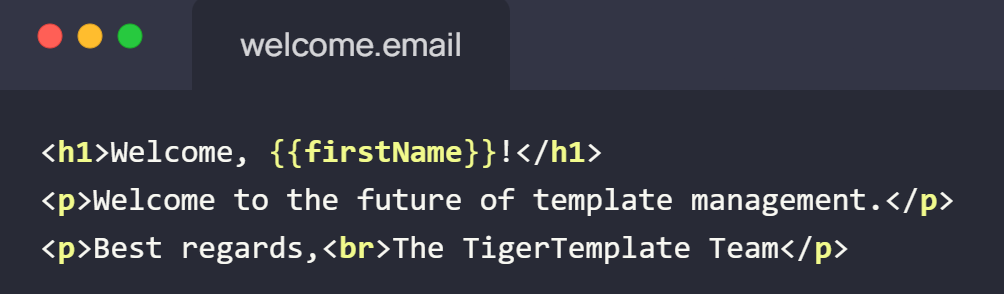
Batch upload existing template files
Email | PDF | SMS | Push | More
Empower your team to manage templates without developer involvement.
Visual editor with real-time preview, reusable layouts, and modular components.
Developer-friendly APIs for template management and rendering automation.
Track changes, compare versions, and roll back instantly.
Full audit trails, compliance reporting, and security controls for regulatory requirements.
Templates for emails, PDFs, SMS, push notifications, and more.
Built-in review and approval workflows for quality control.
Manage templates across dev, staging, and production with automated pipelines.
Preview templates across devices and email clients before deploying.
Run experiments with template variations to optimize performance.
Built-in internationalization for multilingual template management.
Fine-grained access control for content managers and reviewers.
Manage images, fonts, and media assets—served via CDN.
What's included:
Advanced features for growing businesses and enterprise teams.
Contact usContact Sales
Everything in Free, plus:
No, PII processing is optional. TemplateTiger can render templates for you, or you can keep PII entirely on your own systems. Testing uses dummy data only. Unlike many template tools, TemplateTiger is built with security-first principles and is fully GDPR compliant.
All formats supported. TemplateTiger renders HTML, XML, PDF, and plain text using Handlebars.js, with support for Blade, DTL, ERB, and others coming soon. If you need a specific templating language, contact [email protected] to request addition.
No, TemplateTiger is a Template Management System (TMS), not a CMS. Unlike a CMS which manages content that fills templates, TemplateTiger manages the templates themselves and renders them with varying content. Use TemplateTiger to manage templates for emails, PDFs, SMS, push notifications, and more—without developer involvement.
Via REST API. TemplateTiger provides a developer-friendly API for seamless integration. Render templates by making API calls with your data and retrieve output in HTML, PDF, or plain text. Coding agents can integrate using our OpenAPI spec, integration guide, and inline llms.txt file.
Yes, migration is simple. TemplateTiger supports batch file upload, letting you migrate all existing templates in one drop. Coding agents can automate migration using our OpenAPI spec, integration guide, and inline llms.txt file. Our support team also assists with large-scale migrations.
Every change is tracked automatically. With our Enterprise plan, you can see exactly what content was live at any point in time, compare versions side-by-side, and roll back instantly. Unlike basic version control, this provides full audit trails essential for regulatory compliance.
Yes, full enterprise SSO is supported. Our Enterprise plan includes SAML 2.0 SSO and SCIM for user provisioning, allowing teams to use existing corporate credentials and simplifying user management at scale.
Built-in approval workflows ensure quality control. Enterprise customers configure designated reviewers who must approve template changes before they go live. Unlike manual review processes, this provides full audit trails of who approved what and when, ensuring compliance.